> ## Documentation Index
> Fetch the complete documentation index at: https://guide.smore.im/llms.txt
> Use this file to discover all available pages before exploring further.
# 응답 및 분석 인증 메일
> 계정 및 데이터 보안을 위해 마련한 장치예요. 고객의 개별 응답 데이터를 열람하려는 경우, 추가 인증을 진행해야 합니다.
 ## 응답 및 분석 인증 메일이란?
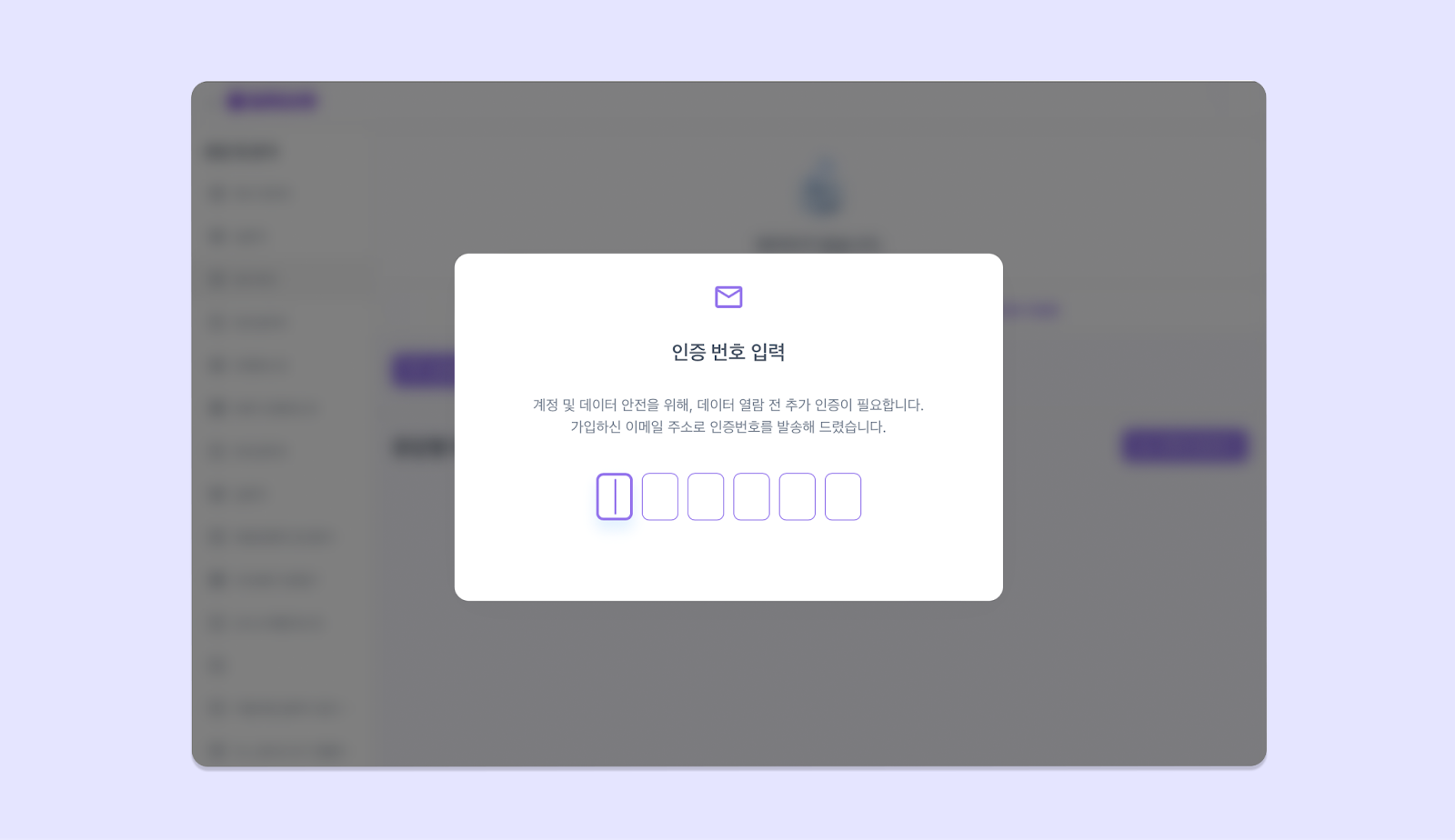
응답 및 분석의 ‘응답별 데이터’ 탭에 접근할 시, 가입한 이메일 주소로 인증 코드가 발송 됩니다. 화면에 인증 코드를 입력해야 데이터를 열람할 수 있어요!
## 응답 및 분석 인증 메일이란?
응답 및 분석의 ‘응답별 데이터’ 탭에 접근할 시, 가입한 이메일 주소로 인증 코드가 발송 됩니다. 화면에 인증 코드를 입력해야 데이터를 열람할 수 있어요!
## 인증 메일 해제하기
매번 인증 코드를 받기가 번거롭거나, 인증 메일을 받지 못 하셨나요? 🤔\
간단한 방법으로 인증 절차를 해제할 수 있습니다!
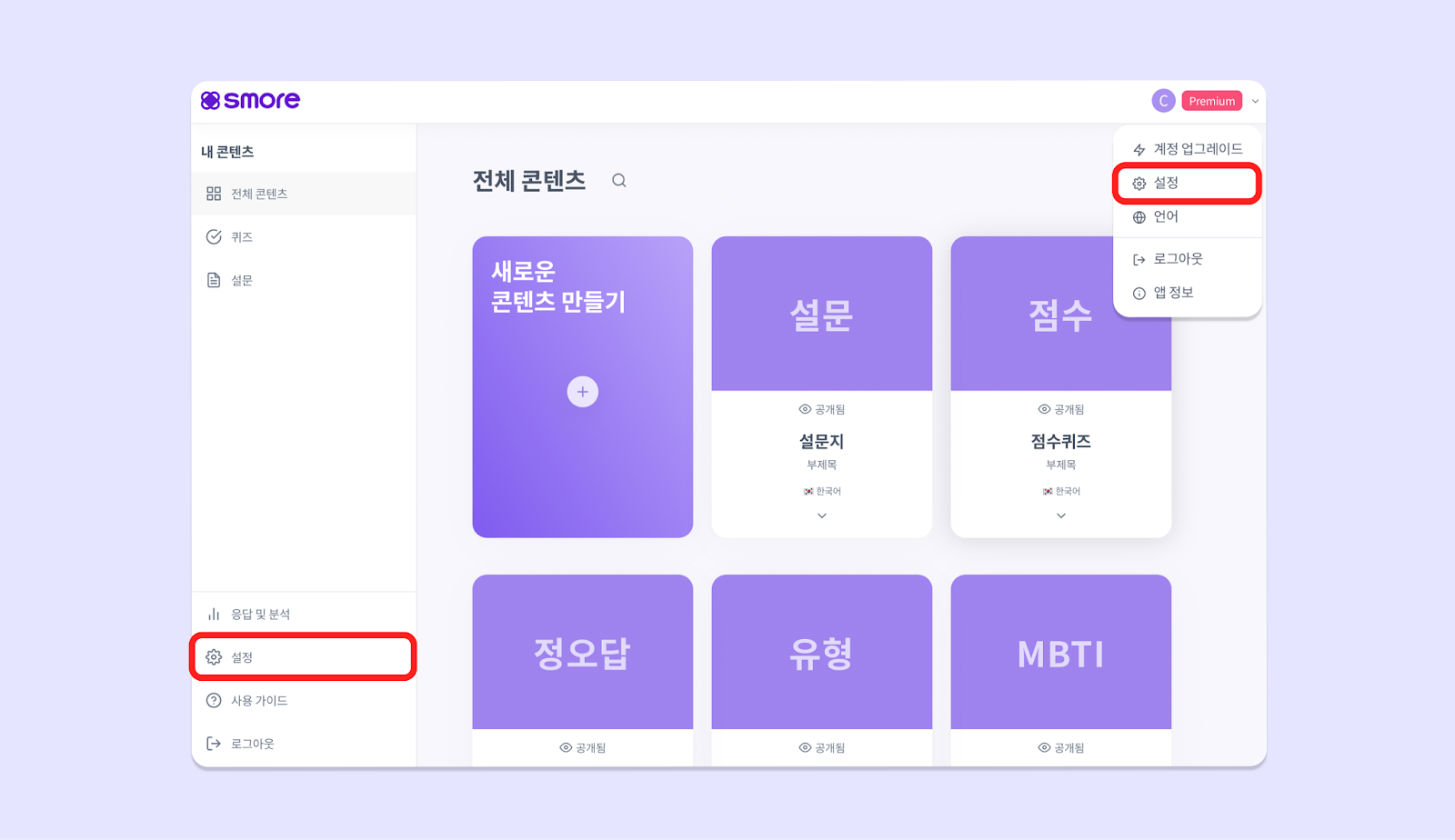
1. **\[설정]** 으로 이동해 주세요.
* 대시보드 좌측 하단 \[설정] 혹은
* 대시보드 우측 상단 \[프로필] 클릭>\[설정]
 2. 좌측의 **\[보안]** 을 클릭한 후, **계정 보안 스위치를 꺼주세요.**